At IP Technics, we have completed network and server infrastructure deployments for two schools in the UAE using a cost-optimised stack. This post walks through one of those deployments in detail. The result in both cases: savings of up to 80% against comparable new-hardware quotes, with no compromise on reliability, performance, or manageability.
The Problem with Standard Education IT Procurement
Most schools receive vendor quotes built around flagship, current-generation hardware. A 9500-series core switch, a next-generation firewall, and brand-new rack servers are all legitimate choices for a large enterprise. For schools running tight capital budgets, these quotes often result in project delays, scope cuts, or deploying solutions that are genuinely oversized for actual demand.
The assumption that enterprise-grade means expensive and current-generation is worth challenging directly. Higher switching capacity and more processing power do not automatically translate into a better user experience when the bottleneck is the internet uplink, not the switch fabric. The secondary market for enterprise networking and compute equipment is deep, well-tested, and increasingly well-supported.
What We Actually Deployed
The deployment covered here is a school with a student population of up to 4,000 to 5,000 and a peak concurrent user count of around 1,000. The core stack looked like this:
| Component | Typical Vendor Quote | Our Cost-Optimised Stack |
|---|---|---|
| Core / Aggregation Switch | Cisco Catalyst 9500 (new) or Huawei S6730-H48X6CZ-V2 (new) | 5x Cisco Catalyst 3850-48P stacked (refurbished) |
| Firewall / UTM | Fortinet FortiGate or SonicWall (new appliance + annual licence) | OPNsense running as HA VM pair on the server cluster |
| Wireless APs | Cisco Meraki or Aruba (new) | Huawei AP371 (new) |
| Servers | New Dell PowerEdge / HPE ProLiant + VMware | 2x HPE ProLiant Gen10 (refurbished), ZFS mirror storage, Proxmox VE cluster |
The Real-World Performance Argument: Specs vs. Actual Need
This is where the conversation usually stops. Vendors present headline specifications and the instinct is to assume more capacity equals better outcomes. In a school environment, the numbers tell a different story.
Actual switching capacity figures, side by side:
| Specification | Cisco 3850 (stack of 5) | Cisco Catalyst 9500 | Huawei S6730-H48X6CZ-V2 |
|---|---|---|---|
| Switching Capacity (per unit) | 176 Gbps | Up to 6.4 Tbps | 2.16 Tbps |
| Stack / Virtual Stack Bandwidth | 480 Gbps (StackWise-480, up to 9 units) | StackWise Virtual (pair only) | iStack support |
| Our deployment (5-unit stack) | 480 Gbps aggregate stack bandwidth | N/A - not deployed | N/A - not deployed |
| Max stack scale | 9 switches = 36x 10GbE uplink ports | 2-switch virtual stack only | N/A |
| Uplink Ports | 4x 10GbE SFP+ per unit (20 total in our 5-switch stack) | 4x 100GbE QSFP28 uplinks | 6x 40/100GbE QSFP28 |
| Access Ports | 48x 1GbE PoE+ per unit (240 total in our stack) | 48x 1/10/25GbE | 48x 10GbE SFP+ |
| Forwarding Rate | 130 Mpps (per unit) | Up to 2 Bpps | 490 Mpps |
| Mandatory annual licence | None (perpetual IOS licence) | Cisco DNA Advantage / Essentials required | IDN One licence for full feature set |
On paper, the 9500 or the Huawei S6730 look dramatically more capable. In practice, for a school network, a 5-switch 3850 stack is not just adequate, it is significantly overprovisioned for actual demand.
Why the Numbers Do Not Translate to a Real-World Advantage
The performance gap exists at a theoretical level. Here is why it does not matter in a school deployment:
- Internet bandwidth is the real ceiling: schools in the UAE typically run 1 Gbps internet connections. Even with two or four uplinks bonded, total available internet bandwidth rarely exceeds 2 to 4 Gbps. The 3850 stack handles this on a single 10GbE uplink with significant capacity to spare.
- 20 x 10GbE uplinks from five switches: our 5-switch stack provides 20 available 10GbE SFP+ ports for uplinks, inter-switch connections, and server links. If the school grows and additional switches are added, the StackWise-480 architecture scales to 9 units, giving 36 x 10GbE uplink ports under a single management plane with no additional software licences.
- 480 Gbps of aggregate stack bandwidth: the StackWise-480 interconnect delivers 480 Gbps between stack members. This is the internal switching fabric the entire 5-switch stack shares. For a school with a student population of up to 4,000 to 5,000 and a realistic concurrent user count of around 1,000, this headroom will not be approached under any traffic scenario.
- LAN backbone is 10GbE throughout: inter-switch and server uplinks in our deployment all run at 10GbE. The combined campus backbone is well above what the workload demands and will remain so for the next five or more years without any hardware changes.
- 10GbE access ports are irrelevant for end-user devices: the Huawei S6730 provides 48x 10GbE SFP+ access ports, which is appropriate for a server rack or data centre leaf switch. Every end-user device in a school, including laptops, desktops, IP phones, tablets, and cameras, connects at 100 Mbps or 1 Gbps. Providing 10GbE access to a student workstation is not a feature, it is unused capacity paid for at a premium.
- Forwarding rate differences are irrelevant at school scale: the gap between 130 Mpps and 2 Bpps becomes relevant in high-frequency trading or hyperscale data centres, not in an environment where traffic is dominated by web browsing, video streaming, and file transfers.
- VLAN configuration is identical across all platforms: VLAN technology has been standardised under IEEE 802.1Q since 1998 and has not changed in any meaningful way since. A school running 20 VLANs configures them with the same concepts and nearly identical commands on a 3850 as on a 9500 or an S6730. The newer platform offers nothing different here.
When your internet uplink is 1 Gbps and your LAN backbone runs at 10GbE, a switch capable of 6.4 Tbps or 2.16 Tbps of internal switching capacity is solving a problem that does not exist. The Cisco 3850 stack was designed precisely for this class of enterprise access and aggregation deployment and remains fully capable for the next several years.
The Hidden Cost of Modern Licensing
Hardware cost is only part of the story. Modern enterprise networking has moved to a subscription-based model that adds significant recurring cost on top of capital expenditure. This applies to Cisco, Fortinet, SonicWall, and Huawei's enterprise platforms.
| Vendor / Platform | Base Licensing | Annual / Recurring Costs |
|---|---|---|
| Cisco Catalyst 9500 | Cisco DNA Advantage or Essentials licence required for full feature access | Annual subscription; SD-Access, assurance, security policy, and telemetry are all licence-gated |
| Cisco Catalyst 3850 | IOS IP Base or IP Services - perpetual licence, purchased once | No mandatory annual subscription; full switching, routing, QoS, and 802.1X included |
| Fortinet FortiGate | Hardware purchase plus FortiCare support and FortiGuard bundles | Annual renewal for IPS signatures, web filtering, antivirus, and threat intelligence feeds |
| SonicWall | Hardware plus TotalSecure or Capture bundle | Annual renewal for gateway security services, content filtering, and support |
| OPNsense (our deployment) | Zero hardware licence cost; runs as HA VM pair on existing servers | No subscription fees; Suricata IDS/IPS, content filtering, VPN, and QoS all included |
| Huawei S6730-H-V2 | Traditional feature-based or N1 IDN One mode | Cloud management and advanced SDN/campus analytics require IDN licence subscription |
For a school running five switches and a firewall, the annual licensing overhead on a Cisco 9500 plus Fortinet stack can easily exceed the total hardware cost of the refurbished alternative over a three-year period. Running OPNsense as a virtualised HA pair on the Proxmox cluster eliminates dedicated firewall hardware entirely, removing another capital cost line.
Core Switching: The Cisco Catalyst 3850 Stack
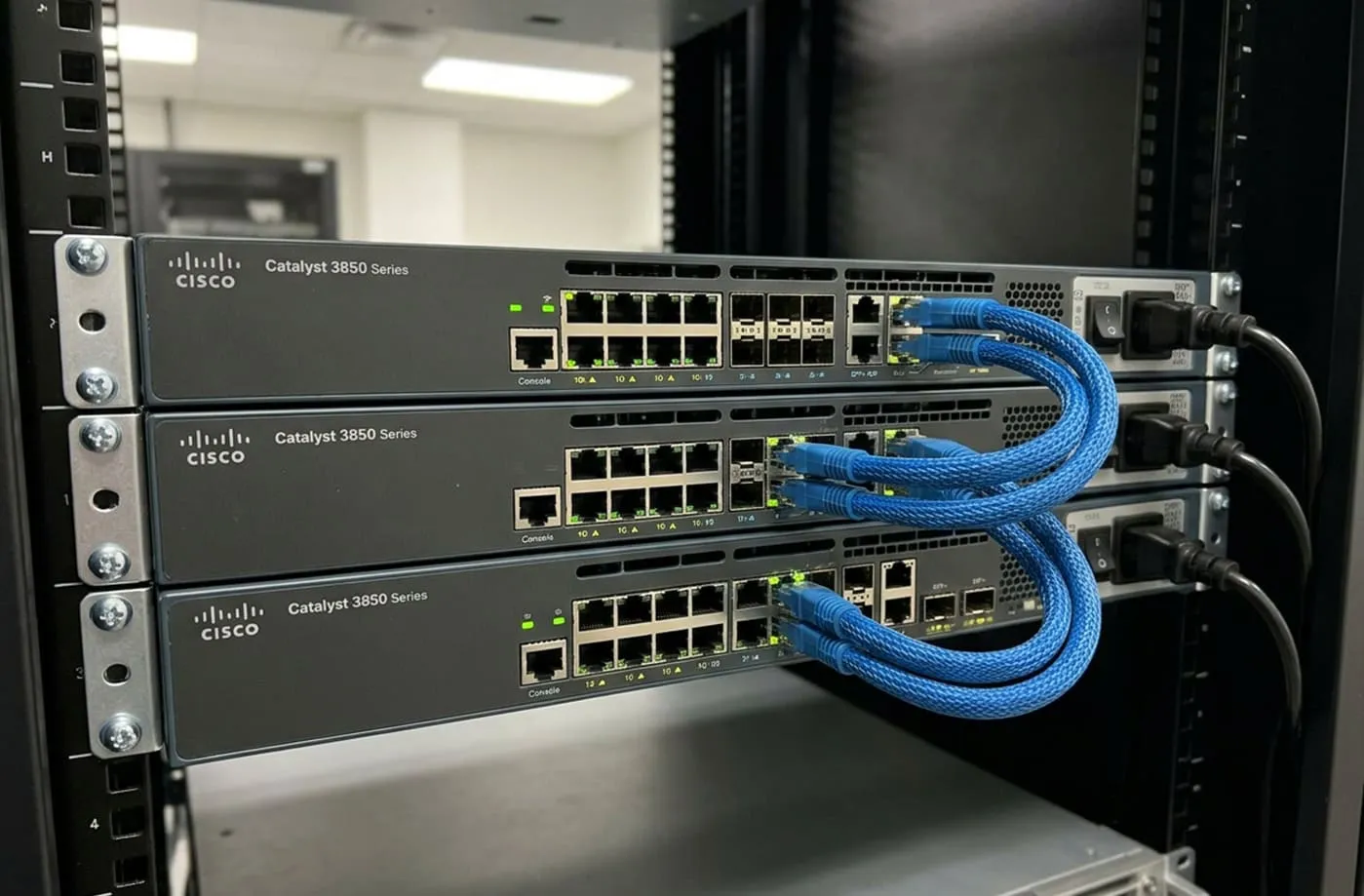
We deployed five Catalyst 3850-48P units in a StackWise-480 stack, producing 240 PoE+ access ports and 20 available 10GbE SFP+ uplink ports from a single logical switch. All inter-switch links and server uplinks run at 10GbE, giving the campus a uniform 10GbE backbone.
The StackWise-480 architecture scales to nine units in a single stack. That means if the school grows significantly, the switching infrastructure expands to 432 PoE+ access ports and 36 x 10GbE uplink ports, all managed as one device, with no additional software licences and no need to replace existing hardware. QoS, VLAN segmentation, Layer 3 inter-VLAN routing, DHCP relay, and 802.1X authentication are all included in IOS IP Services without subscription gating.
VLANs: A 20-Year-Old Technology That Every Switch Handles the Same Way
A real-world school deployment is not a flat network. Our deployments run around 20 VLANs covering management, wired classrooms, computer labs, staff wireless, student wireless, and guest access. Inter-VLAN routing is handled directly on the 3850 stack at Layer 3, with OPNsense enforcing perimeter policy between zones.
Here is the point that vendors rarely make explicit: VLAN technology has been standardised under IEEE 802.1Q since 1998. It has not changed in any meaningful way since. A Cisco 9500, a Huawei S6730, and a Cisco 3850 all configure VLANs using the same concepts and nearly identical commands. There is nothing a newer platform offers in this area that the 3850 does not. Layer 2 segmentation and Layer 3 inter-VLAN routing are not premium features tied to a hardware generation - they are base functionality that has been mature for two decades.
The only genuinely new development in this space is VXLAN, which extends Layer 2 segments over Layer 3 fabrics and is used in data centre overlay networks and multi-tenant cloud environments. It has no relevance in a school campus deployment. Bringing it up in a school infrastructure quote is a sign the vendor is pitching a platform, not solving the problem.
20 VLANs on a Cisco 9500 look identical to 20 VLANs on a Cisco 3850. The configuration is the same, the behaviour is the same, and the outcome for users is the same. The price is not.
Servers and Firewall: HPE Gen10 Cluster with Proxmox and OPNsense HA
For compute, we deployed two refurbished HPE ProLiant Gen10 servers in a Proxmox VE cluster. Both nodes run ZFS mirrored storage, providing data integrity and snapshot-based backup without additional storage licences. Proxmox's built-in HA manager handles VM failover automatically if a node goes offline.
OPNsense runs as a virtualised HA pair on the cluster. The active and standby instances synchronise state in real time, so a node failure or a planned maintenance window does not interrupt network connectivity. This architecture eliminates the need for a dedicated firewall appliance entirely, removing one capital cost line and one annual support renewal from the project.
The same cluster runs Active Directory, file services, the school's library or ERP system, and any other internal workloads. This is a consolidation approach that modern schools can realistically maintain, particularly with a managed services partner handling monitoring and patching.
Wireless: Huawei AP371
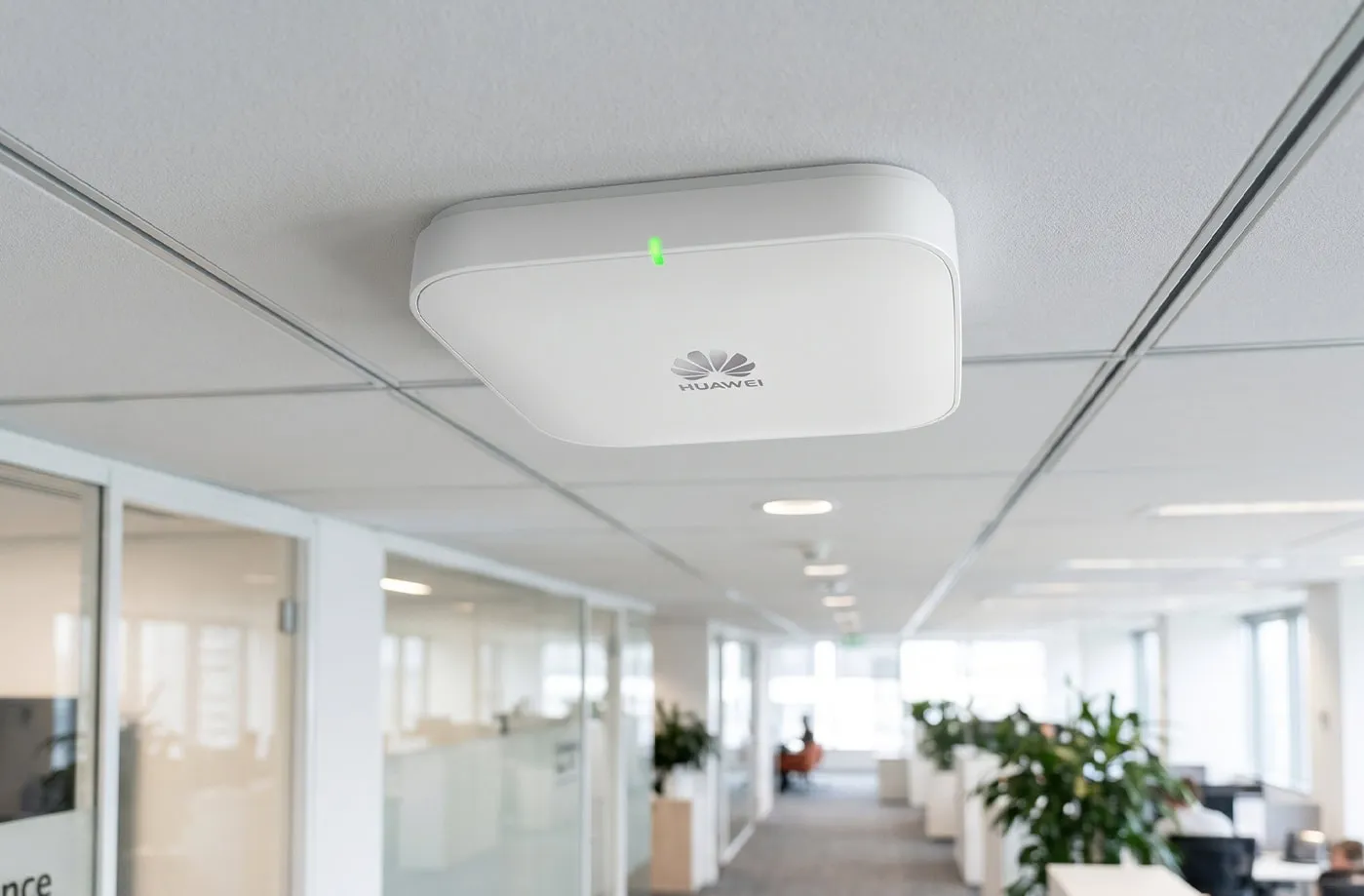
We deployed Huawei AP371 access points new across the campus. The AP371 is a dual-band Wi-Fi 6 access point supporting 802.11ax and MU-MIMO. It handles the most demanding classroom scenario, simultaneous connections from 30 to 40 student devices streaming and browsing, without issue.
Premium alternatives from Cisco Meraki or Aruba carry cloud management subscription fees on top of hardware cost. The AP371 deployed against an on-premise or managed controller delivers the same user experience at a substantially lower total cost. Choosing new APs here rather than refurbished was deliberate: wireless is the part of the network users interact with directly, and it is the wrong place to cut.
The 80% Savings: Where It Comes From
Against the original vendor quote for this deployment, total savings came in at 75 to 80 percent. The savings come from four compounding sources:
| Saving Source | Where It Applies |
|---|---|
| Refurbished switching and compute | Cisco 3850 stack and HPE Gen10 servers at 30-60% of new-box cost |
| Open-source hypervisor | Proxmox VE eliminates VMware or Hyper-V licensing across both nodes |
| Virtualised firewall | OPNsense HA pair on existing cluster removes dedicated firewall hardware and annual UTM subscription |
| SonicWall | Hardware matched to actual workload; no spend on 10GbE access ports, multi-terabit switching capacity, or data centre features a school does not use |
What to Watch Out For
Cost-optimised does not mean careless. There are genuine risks that a responsible deployment must address:
- Source from reputable resellers: certified refurbished units with tested components and warranty coverage are essential. Grey-market hardware without provenance should be avoided.
- Check end-of-support dates: the Cisco 3850 is approaching end of software maintenance. For a school with no compliance requirement for active CVE patching, this is manageable. For environments with active security audit obligations, factor this into the decision.
- Spares and redundancy: budget for at least one spare switch. Same-day hardware replacement through a vendor contract may not be available on refurbished equipment.
- Open-source requires expertise: OPNsense and Proxmox are enterprise-capable but require administrators or a managed services partner with the relevant skills. These are not plug-and-play appliances.
Is This Right for Your School?
This approach works well for schools that:
- Want a managed services partner handling ongoing support, monitoring, and incident response - IP Technics provides SLA-backed support and hardware replacement warranty on all deployments regardless of whether the hardware is new or refurbished
- Are deploying a new site or refreshing infrastructure where existing hardware is end-of-life
- Would rather direct budget savings toward teaching resources, devices, or digital learning platforms than pay for switching capacity and licensing headroom that will never be used
- Are open to open-source platforms where the capability is equivalent and the cost difference is significant
There is no trade-off on support quality. Schools that need guaranteed response times and hardware swap-out commitments can have exactly that through IP Technics' managed service agreements. The cost optimisation is on the hardware and licensing side, not on the support model.
How IP Technics Can Help
IP Technics has been deploying and managing IT infrastructure in the UAE and GCC since 2009. We have hands-on experience with refurbished Cisco, HPE, and Huawei equipment, and we manage OPNsense, Proxmox, and open-source unified communications platforms as part of our managed services portfolio.
If your school is planning an infrastructure refresh or a new campus deployment and would like an honest assessment of where costs can be reduced without compromising reliability, get in touch at iptechnics.com.